

How To Login to World Star Betting Zambia Account 2026
World Star Betting is a sportsbook that covers a wide selection of pre‑match and in‑play events with competitive odds across football and other popular sports. The platform has been building a presence in African markets, including Zambia, since around 2023, and its reputation among regional bettors continues to grow. Successful login is a requirement for placing bets, requesting withdrawals, and claiming promotional offers. The sign‑in process with World Star Betting is straightforward as long as there is a stable internet or Wi‑Fi connection. Multiple access methods allow users to log in from different devices.
| Login button | located on the homepage |
| Credentials | valid Zambian phone number and password/PIN |
| Mobile app | Android app |
| USSD access | *356# |
| Customer support | live chat, WhatsApp helpline 0992722259 / 9889950087 |
World Star Betting Login Requirements
Only users who previously completed their registration with World Star Betting can log in to the platform. Below are the key requirements for a successful sign‑in:
- A valid Zambian phone number that was used during the registration process on the platform.
- A fast and reliable internet connection to ensure the login page loads without interruption or timeout.
- A browser or the World Star Betting app updated to the latest available version for full compatibility.
How to Sign In to World Star Betting Website
The website is the simplest way to access a World Star Betting account from any device with a browser. Whether on a desktop computer, tablet, or smartphone, the process remains the same. Follow the steps below for a quick login.
- Use our link to navigate to the official World Star Betting website in your browser.
- Locate the Login button, which is positioned at the top right corner of the homepage.
- Enter your registered Zambian phone number and your password into the corresponding fields.
- Tap or click the green “Login” button to confirm your credentials and access your account.
After submission, the platform redirects to the main dashboard where all sports markets are available. If the credentials are correct, the entire process takes only a few seconds.
Lite Version Sign In
World Star Betting does not currently offer a dedicated lite version of its website. Users with slower internet connections or older devices can still access the platform through the standard mobile site, which is relatively lightweight. Alternatively, the USSD option at *356# provides an offline route that consumes no data at all, making it a practical solution for those looking to conserve resources.
Mobile App Login
World Star Betting is widely accessible on mobile devices through its dedicated Android application. iOS users who do not have access to a native app can still log in through the mobile website in their phone's browser.
| Parameter | Technical requirements |
|---|---|
| Compatible operating systems | Android 8.0 or higher |
| System memory | At least 1GB RAM recommended |
| Free device storage | Needs a minimum of 2.3 MB of storage |
| Download source | official World Star Betting website |
Follow these steps to log in through the Android app:
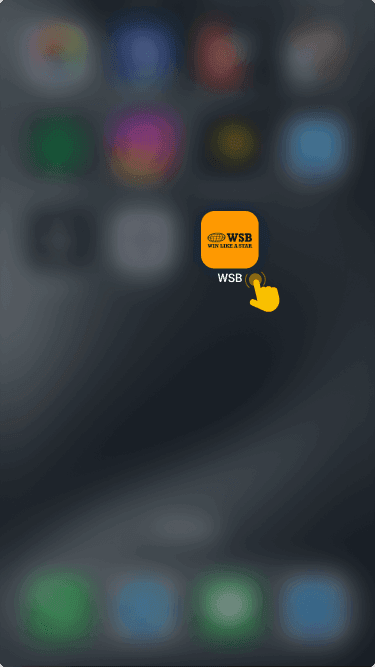
the official World Star Betting app directly from the bookmaker's website.

on your mobile device and wait for the home screen to load.
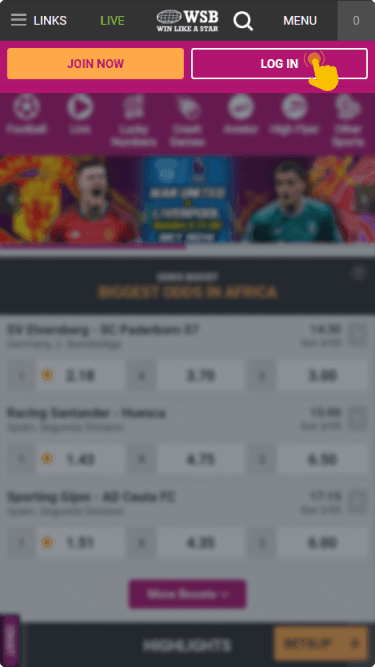
at the top of the screen and tap on it to open the sign‑in form.
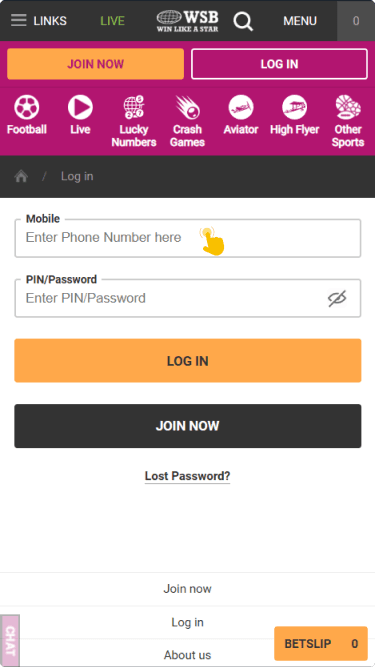
then tap the login button to reach your dashboard.
The app provides the same functionality as the desktop site, including live betting and account management. Its small file size means installation is quick even on limited data plans.

Offline Login Guide
Understanding data consumption is important for Zambian bettors who want to keep their internet costs under control. World Star Betting offers a USSD channel that allows account access and betting activity without any data connection at all.
USSD access:
Dial code: *356#
Network requirement: active Zambian SIM card with airtime
Data needed: none
To use this method, simply dial *356# from the phone number linked to your World Star Betting account. Follow the on‑screen prompts to navigate through the menu, confirm your identity, and place bets. This option is especially useful when mobile data bundles are exhausted or network coverage is limited.
What to Do After Login
Once logged in, the cashier section becomes accessible for making a deposit and starting real money betting activity. Navigation to this section is straightforward from the main dashboard.
World Star Betting provides promotional offers that could be activated following a successful deposit. The 20% first deposit bonus adds extra funds to a new player's balance, while the near miss bet bonus can reach up to 10 000% under specific conditions.
If further assistance is needed, the live chat feature and the WhatsApp helpline (0992722259 / 9889950087) are available for guidance on deposits and bonus activation.