

How To Login to SportPesa Zambia Account 2026
Sportpesa is a well known choice for football fans in Zambia, offering pre match and in play betting on major international and local leagues. The platform also provides a dedicated global app for users in Zambia to participate in sports betting markets. A successful login is the gateway to placing bets, withdrawing funds, and claiming promotional offers. The sign in process with Sportpesa is straightforward, provided there is a stable internet or Wi Fi connection. Multiple login options are available across different devices.
| Login button | Located at the top right corner of the homepage |
| Credentials | Valid Zambian phone number or username and password |
| Mobile app | Android app and iOS app |
| Customer support | Live chat, email at [email protected], social media (Facebook, Twitter, YouTube) |
Sportpesa Login Requirements
Only users who have previously completed registration with Sportpesa can access the login function. Below are the core requirements for a successful sign in:
- A valid phone number that was provided during the registration process on the platform.
- A fast and reliable internet connection to ensure the login page loads without interruption or timeout errors.
- A browser or the Sportpesa app updated to the latest available version for optimal compatibility and security.
How to Sign In to Sportpesa Website
The website remains the simplest way to access a Sportpesa account on any device, whether desktop, tablet, or phone. The process requires only a few seconds and works through any modern browser.
Follow the steps below for a complete website login:
- Use our link or type the official Sportpesa Zambia URL into your browser's address bar.
- Locate the Login button, which is positioned at the top right corner of the homepage.
- Enter your registered Zambian phone number or username along with your account password.
- Tap or click the green “Login” button to gain immediate access to your account dashboard.
Once the submission is successful, the platform redirects to the main betting interface. If an error message appears, double check the credentials and try again.
Lite Version Sign In
Sportpesa does not currently offer a dedicated lite version of its website for users in Zambia. Users with slower internet connections or older devices should consider using the mobile app, which consumes less data compared to loading the full website in a browser. The app provides all core betting functions while remaining lightweight on system resources.
Mobile App Login
Sportpesa is widely accessible through mobile devices thanks to dedicated applications for both Android and iOS platforms. The apps deliver a smooth experience tailored for on the go betting.
| Parameter | Android | iOS |
|---|---|---|
| Compatible operating systems | Android 5 or higher | iOS 11.0 or higher |
| System memory | At least 1GB RAM recommended | At least 1GB RAM recommended |
| Free device storage | 17.3 MB | 42.6 MB |
Follow these steps to log in through the Sportpesa mobile app:
Download and install the official Sportpesa app from the Sportpesa website (Android) or the App Store (iOS).
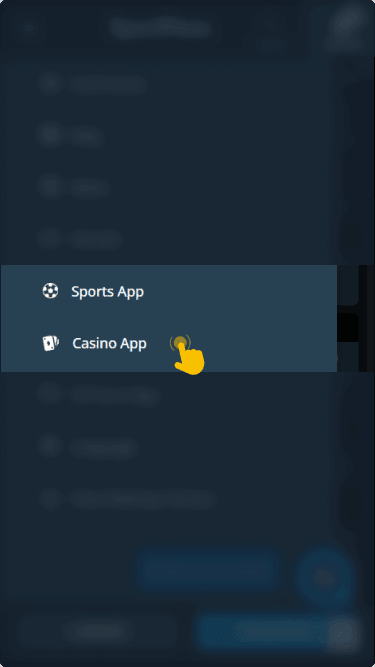
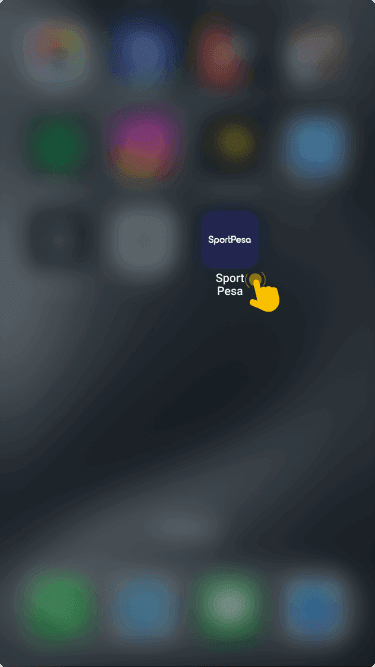
Open the application on your mobile device and wait for the home screen to load fully.
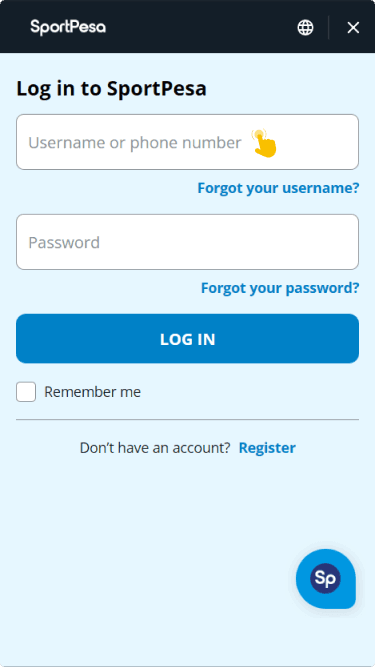
Locate the Login section at the top of the screen, then enter your registered phone number and password.
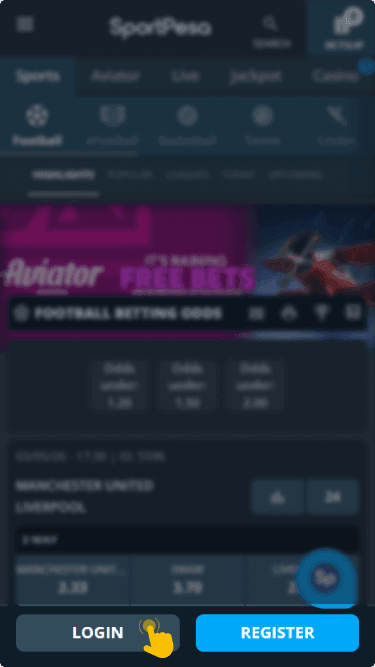
Tap the Login button to complete the sign in and access your full betting dashboard immediately.


Offline Login Guide
Sportpesa does not currently support SMS or USSD based login for users in Zambia. All account access requires an active internet connection, whether through mobile data or Wi Fi. For users looking to manage data consumption, the mobile app is a practical alternative since it uses less data than browser sessions. Keeping background app refresh turned off and closing other applications can also help reduce overall data usage during a betting session.
What to Do After Login
Once signed in, the next step is navigation to the cashier section where a deposit can be made. Funding the account allows placement of real money bets across all available football leagues and sporting events on the platform.
Sportpesa offers promotional features that activate after a successful deposit. The multi bet bonus rewards users who place accumulator bets with increased potential returns. The bet spinner feature provides an opportunity to multiply winnings through a spin based bonus mechanic, adding an extra layer of engagement to the betting experience.