

How To Login to Gal Sport Betting Zambia Account 2026
Gal Sport Betting has quickly become a go to platform for sports fans in Zambia. The site combines pre match and live betting with casino play, all under one wallet so there is no need to juggle multiple balances. Deposits and withdrawals run through Airtel, MTN, Zamtel, and shop cash options, which makes the whole experience smooth for local users. To place bets, withdraw funds, or activate promotional offers, you need to be signed in to your account. Logging in with Gal Sport Betting is straightforward as long as you have a stable internet or Wi Fi connection, and there are several ways to do it across different devices.
| Login credentials | Valid Zambian phone number and password |
| Login button location | Top right corner of the homepage |
| Mobile app | Android app |
| Bonuses after login | Welcome 200% bonus, freebet bonuses, sport money back bonus, odds boost bonus |
| Customer support | Live chat, email at [email protected], phone +977560501, social media (X, WhatsApp, Instagram, Facebook) |
Gal Sport Betting Login Requirements
Only users who previously registered with Gal Sport Betting can log in to their accounts. Before attempting to sign in, make sure you meet these requirements:
- A valid phone number that you used when you created your account on the platform.
- A fast and reliable internet connection to prevent timeouts or loading errors during sign in.
- A browser or the Gal Sport Betting app updated to the latest available version for optimal performance.
How to Sign In to Gal Sport Betting Website
Signing in through the website is the simplest way to access your Gal Sport Betting account on any device.
Whether you are using a desktop computer, a tablet, or a smartphone browser, the process stays the same. Follow the steps below to get into your account quickly.
- Use our link to navigate to the official Gal Sport Betting website in your preferred browser.
- Locate the Login button, which sits in the top right corner of the homepage.
- Enter your registered Zambian phone number and the password you set for your account.
- Tap or click the green “Login” button to submit your details and access your dashboard.
Once you complete these steps, the platform will redirect you to the main page where all betting markets and account features are available.
Mobile App Login
Gal Sport Betting is widely accessible on mobile devices thanks to its dedicated Android application. If you prefer betting on the go, the app provides a streamlined experience tailored for smaller screens.
| Parameter | Technical requirements |
|---|---|
| Compatible operating systems | Android 8.0 or higher |
| System memory | At least 1GB RAM recommended |
| Free device storage | Needs a minimum of 2.9 MB of storage |
| Download source | Official Gal Sport Betting website |
iOS users do not currently have a dedicated app, but they can log in through the mobile website using Safari or any other browser.
Follow these steps to log in through the Android app:
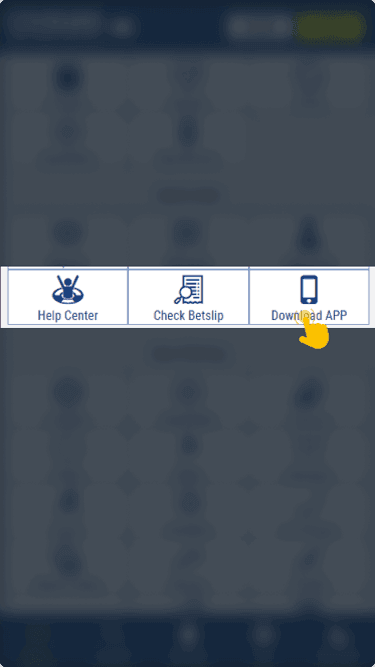
Download and install the official Gal Sport Betting app from the bookmaker's website on your device.
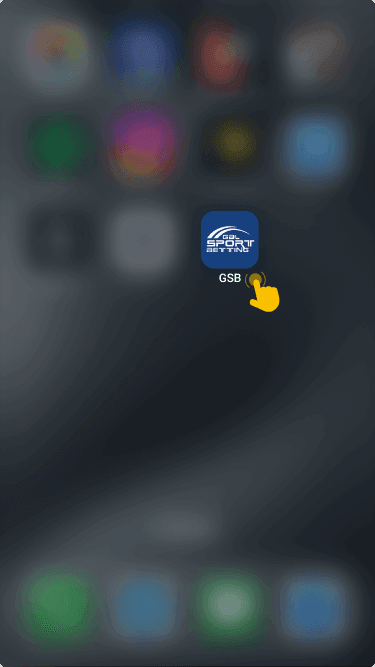
Open the application once the installation is complete and wait for it to load fully.
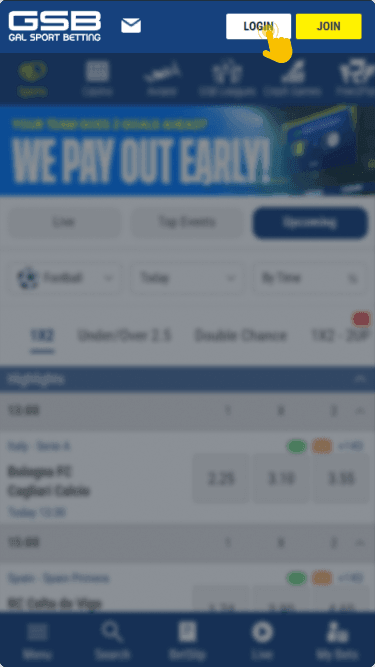
Find the Login button at the top of the screen and tap it to open the credentials form.
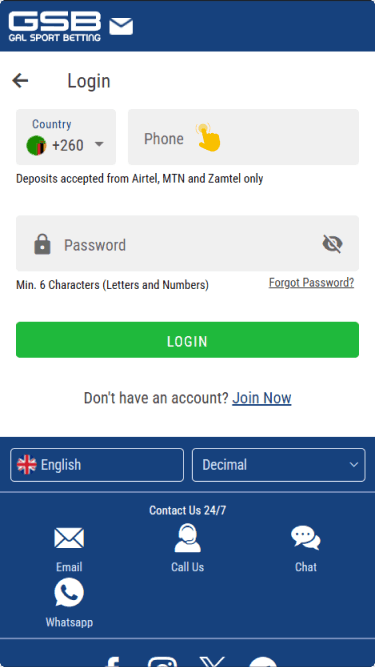
Type in your registered phone number and password, then tap the login button to reach your betting dashboard.

What to Do After Login
Once signed in, the cashier section becomes available for depositing funds. Adding money to the account is the first step toward placing real money bets on any available sports market or casino game.
Gal Sport Betting provides several promotional offers that activate after a successful deposit. These include a welcome 200% bonus, freebet bonuses, a sport money back bonus, and an odds boost bonus.
Each promotion has its own terms, so it is worth reviewing the conditions in the “Promotions” tab right after funding the account. Activating the right offer at the right time can add significant value to a betting session.