

You will need to log in before you can place bets, withdraw winnings, or take part in promotional offers on BetLion. The login process stays quick and straightforward for most users who have a stable internet or Wi-Fi connection.
BetLion gives you multiple ways to access your account by using different devices, making it convenient whether you are at home or on the move.
| Method | Description | Link |
|---|---|---|
| Mobile app | Best for Android and iOS users with newer devices | Download Betlion App |
| Website | Basic option with all features preserved and max data consumption | Betlion Website Login |
BetLion Login Requirements
Before you can log in to your account, ensure you meet the following requirements:
- Registered player. Only registered BetLion account holders can log in and use the betting platform.
- Working phone number. You must have the valid phone number that you used when you joined BetLion ZM.
- Safe and quick connection. A fast and steady internet connection keeps the login page working smoothly on your device.
How to Sign In to the BetLion Website
The BetLion website works as the simplest way for most users in Zambia to log in, whether they use a computer, tablet, or mobile device. The steps below show you how to access your account through the standard website or mobile browser.
- Step 1. Go to the official BetLion website. We provide a link to the genuine BetLion website. Use it to avoid scam copies of Betlion.
- Step 2. Find the Login button. Look to the top right corner of the homepage for the green Login button.
- Step 3. Enter your information. Type in your registered phone number and password in the login fields. Review the details to avoid typos.
- Step 4. Press the Login button. Click the Login option to review your details and enter your BetLion account dashboard.
Mobile users can follow the same process through any up-to-date browser, getting full account access without needing extra downloads.
Mobile App Login
Betlion gives plenty of Zambian punters access to their betting services right from any mobile device. Anyone with an Android smartphone gets an official app, while iOS users visit the site directly from their browser. Whether a person prefers apps or browsing, Betlion keeps things straightforward for both types of users.
| System Requirements | Android |
|---|---|
| OS Version | Android 5.1 or higher |
| RAM | At least 1GB RAM |
| Storage space | a minimum of 6.6MB in free storage |
| Internet | A stable internet connection is necessary to keep everything working well |
iPhone users do not find an app, but they can always log in through the mobile site using almost any device.
Logging in through the Betlion Android app works simply and quickly, with a process that only takes a few taps. Here are the steps anyone can follow:
Head to the official Betlion website and download the Android app to your phone.
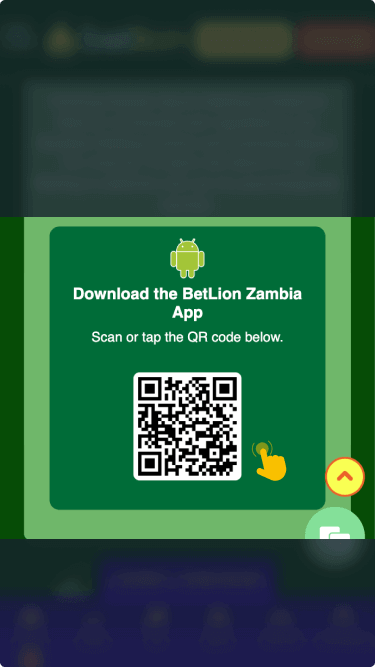
Once installed, find the new Betlion icon and launch the app on your device.
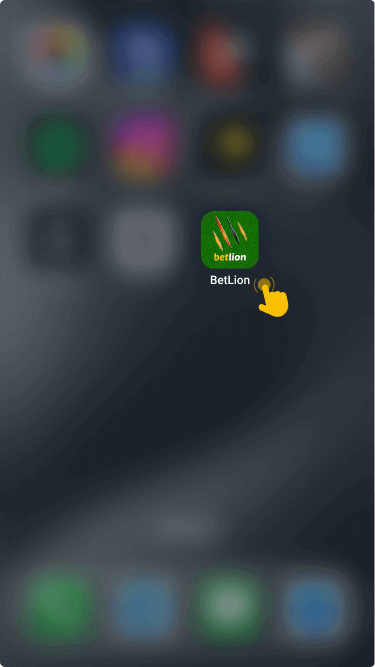
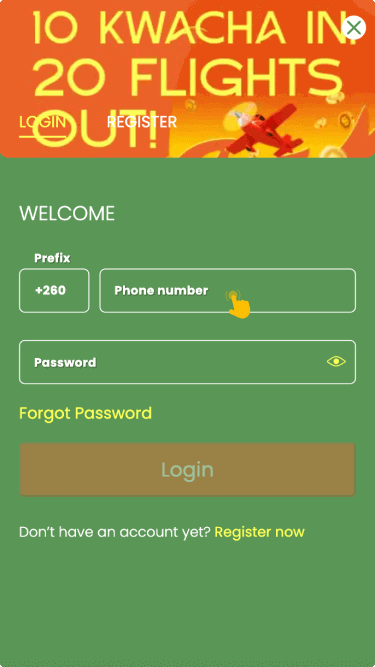
Tap the login button near the top, then type in your registered phone number.

Add your password, tap the login button, and quickly enter your Betlion betting dashboard.
For those with iPhones, the Betlion mobile site gives them the same login process and a full range of betting markets.
